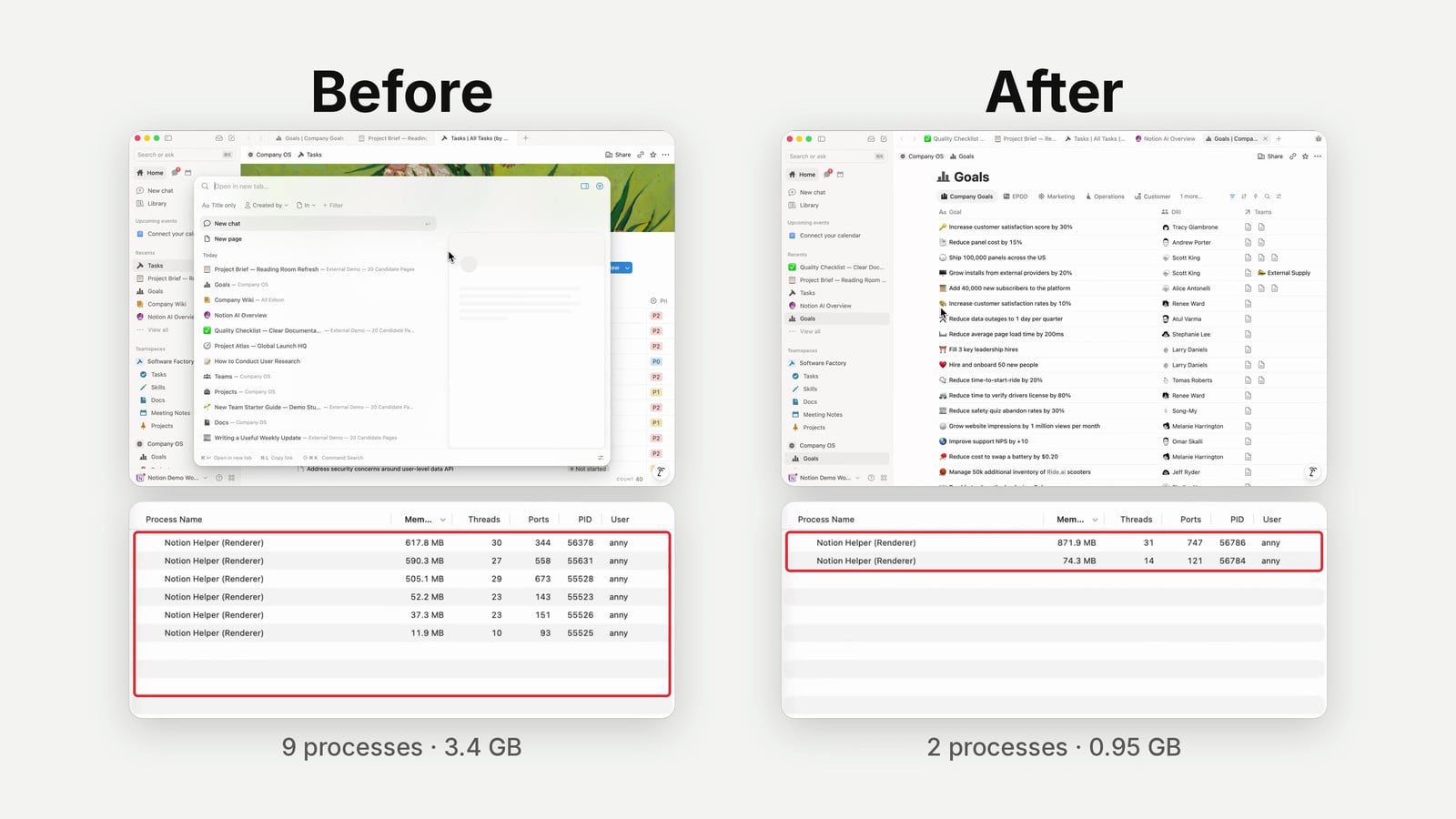
Notion AI pricing is changing: Business and Enterprise seats now include two separate monthly credit allowances, and choosing your own model shares a budget with running your own custom agents. Alongside that change, Notion has rebuilt its AI engine, upgraded Auto and added a browser. Here’s what you get, who pays when an agent runs, and where I think the trade-offs matter.
For a broader overview of Notion AI’s capabilities and strategy, the Notion AI Hub is a good companion read. You can also follow every feature release through the Notion Updates changelog.
What Is Changing With Notion AI Pricing?
Business and Enterprise seats now generally include 1,500 Standard credits and 500 Select credits per member, per month. Standard pays for everyday AI where Notion chooses the model; Select pays for manual model selection and your own custom agents.[1]
The new system starts on October 19, 2026 for new Business and Enterprise workspaces. Existing workspaces move over on November 2, 2026.[1]
If you’re on Free or Plus, this announcement does not introduce the same included AI credit package for you. The new seat allowances apply to Business and Enterprise — if you’re considering an upgrade, you can get started with Notion using our affiliate link.[2]
Previously, personal AI usage and paid custom-agent credits felt like separate systems. Now you can use part of your included allowance to start building and running custom agents without first asking your organisation to buy an extra credit package.
That is a genuinely useful change.
In client work, the extra purchase was often the blocker: someone wanted to try an agent, but their organisation wasn’t ready to pay for credits on top of its existing subscription. An included allowance gives you room to experiment.
The catch? You don’t get one flexible pot of 2,000 credits. You get two separate allowances with different rules.
Your exact included amount can vary by plan and purchase arrangement. Check Settings → Notion AI → Usage rather than assuming every contract is identical.[1]
How Do Standard And Select Credits Work?
Standard credits cover work where Notion picks the model. Select credits cover work where you choose a model yourself, plus custom agents you own unless an admin funds them separately.[1]
There is also a third funding source: workspace-managed Notion credits, which admins can purchase for eligible additional usage, workspace-funded agents and certain high-credit-consumption models.
Here’s the practical breakdown:
| Activity | Default funding source | Important limitation |
|---|---|---|
| Personal Notion Agent on Auto | Standard credits: generally 1,500 per member monthly | Cannot spend spare Select credits on Standard features |
| Personal Notion Agent with a manually selected model | Select credits: generally 500 per member monthly | Some high-credit-consumption models require workspace Notion credits instead |
| Custom Agent you own, including one shared with colleagues | Your Select credits by default | Shares your allowance with manual model selection; an admin can fund the agent separately |
| Workspace-funded Custom Agent | Purchased workspace Notion credits | Subject to its funding, budget and admin controls |
| AI Meeting Notes | Standard credits from December 1, 2026 | About 10 Standard credits per meeting hour, according to Notion’s estimate |
| Basic database Autofill | Included on Business and Enterprise | Not the same as Custom Agent Autofill |
| Personal Notion Agent using a connected ChatGPT plan | Your eligible ChatGPT subscription when you select a specific GPT model | Does not fund Auto, non-GPT models or Custom Agents |
The table brings together Notion’s AI credit rules, Autofill guidance and ChatGPT connection instructions.[1][3][4]
Can You Pool Or Transfer Included Credits?
No. Standard and Select credits cannot be combined, exchanged or transferred between members. Both reset monthly, and unused included credits do not roll over.[1]
That means unused Standard credits can’t rescue a custom agent that has exhausted your Select allowance.
It also means a team’s included credits are not one shared agent budget. A colleague having spare Select credits does not automatically make those credits available to an agent you own.
One more important distinction: included credits are usage allowances, not cash balances. Don’t treat them as money you can move around the workspace.[1]
Who Pays When A Custom Agent Runs?
By default, a custom agent uses its owner’s Select credits—even when other people use it. An admin can instead fund that agent with workspace Notion credits.[1][2]
This is probably the easiest part of the update to misunderstand.
Sharing an agent does not mean each person who uses it contributes their own included allowance.
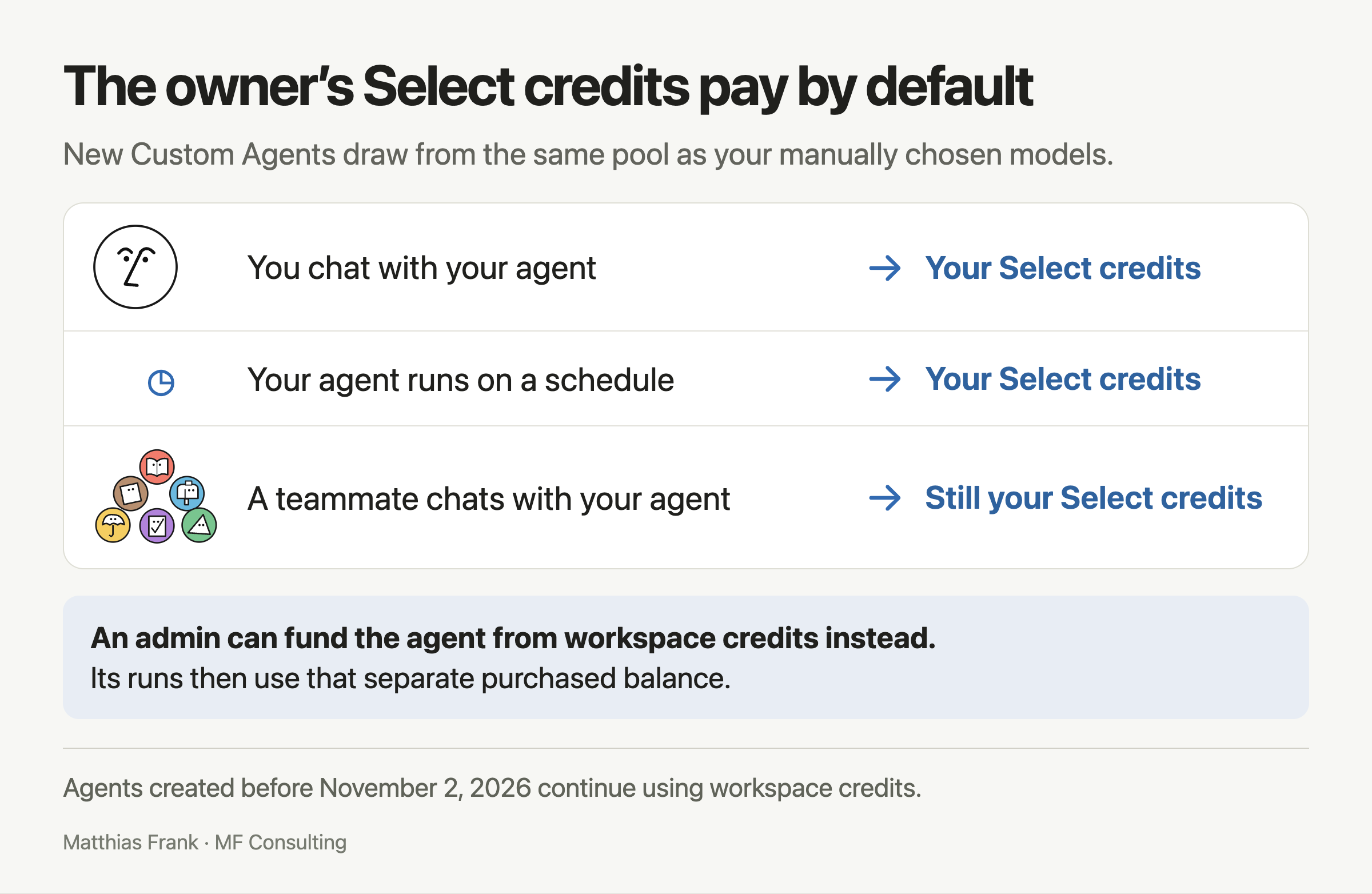
New Custom Agents use the owner’s Select allowance by default, whether you run them yourself, schedule them or share them with a teammate. An admin can fund them from workspace credits instead.
What Happens When You Use Your Own Agent?
Imagine you build an agent to organise incoming requests. You run it yourself, and it draws from your Select allowance unless it has workspace funding.
Your personal chats with manually selected models draw from that same allowance.
So you’re not choosing only between models. You’re also deciding how much of your Select capacity you want to keep available for agents.
What Happens When A Colleague Uses Your Agent?
Now imagine you share that request-routing agent with your team.
A colleague uses it. Your Select allowance still pays by default, not theirs.[1]
That can be fine for testing. It is less sensible as the long-term funding model for a workflow everyone depends on.
How Can An Admin Fund A Shared Agent?
An admin can give the agent a workspace-funded budget using purchased Notion credits. That moves its funding away from relying on your included Select allowance.[2]
Pro Tip: Treat the included allowance as a way to prove an agent is useful. Once it becomes a team dependency, agree on ownership, funding and what should happen if its budget runs out.
There is no universal number of runs that 500 Select credits will buy. Reading more content, taking more steps, using different models and running more frequently can all change consumption.[3]
Start with a narrow workflow and inspect actual usage before promising your team a monthly capacity.
What Happens When You Run Out Of Credits?
If you exhaust a credit allowance, the affected features pause unless your admin allows additional usage through workspace Notion credits. Your remaining allowance of the other type stays separate.[1]
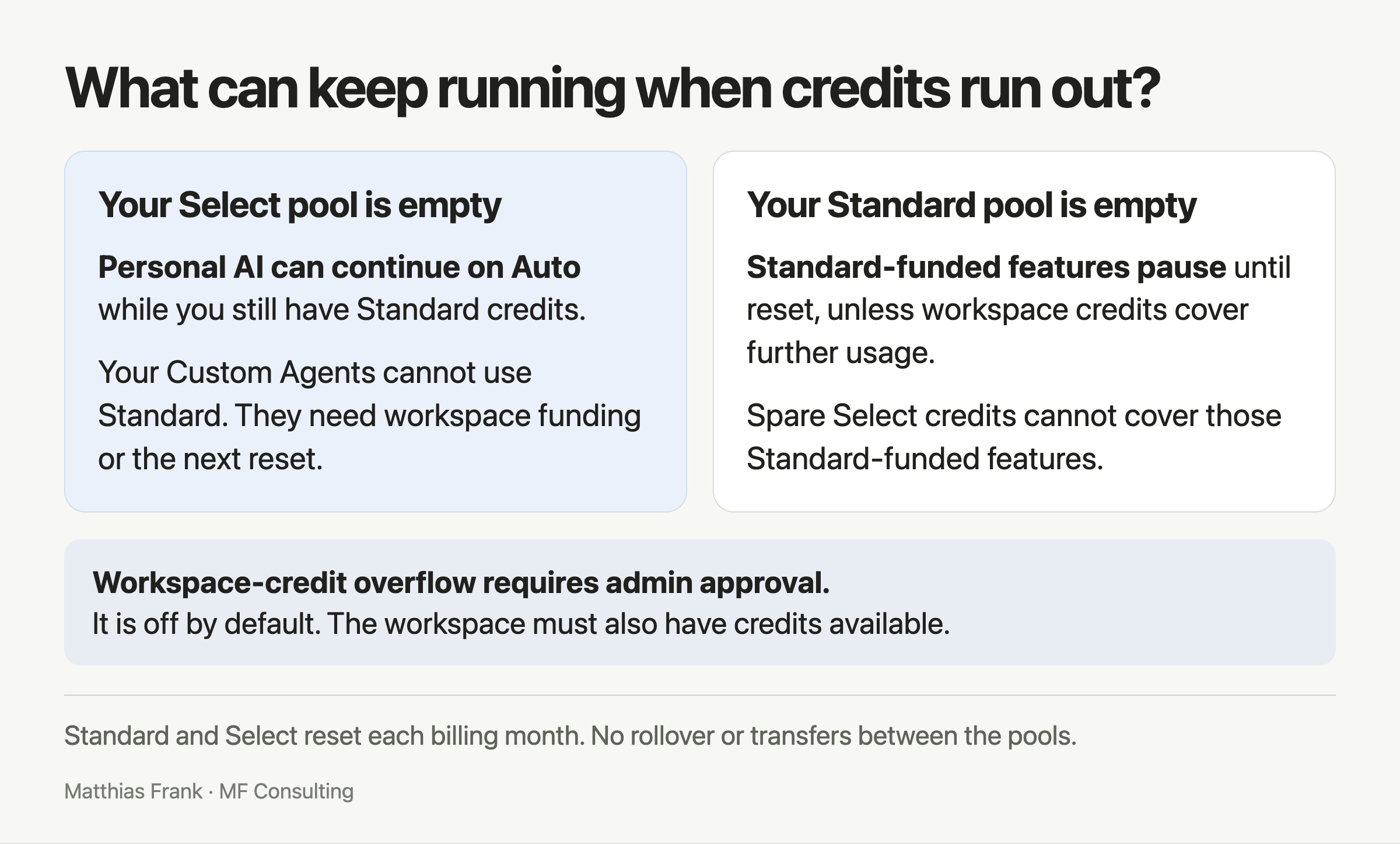
Standard and Select stay separate when one runs out. Only your personal agent can switch to Auto to use remaining Standard credits.
What If You Run Out Of Select Credits?
Manual model selection and owner-funded custom agents can no longer rely on your included Select allowance.
If you still have Standard credits, switch your personal Notion Agent to Auto to keep using Standard-funded features. That does not turn Standard credits into custom-agent funding.[1]
An admin can fund the agent or permit eligible additional usage from purchased workspace credits. Otherwise, affected work waits for the monthly reset.
What If You Run Out Of Standard Credits?
Standard-funded features pause unless your admin enables continued usage through workspace Notion credits.
Spare Select credits do not automatically cover those features. The separation works in both directions.[1]
How Do Admins Enable Additional Usage?
Notion documents this setting under Settings → Notion AI → Allow workspace to use Notion credits after AI limit is reached. It is off by default.[1]
Members can track their balances and reset dates under Settings → Notion AI → Usage. Admins can track purchased-credit spending under Settings → Access & billing → Notion credits.[1]
How Much Do Extra Workspace Credits Cost?
Notion’s current help documentation lists monthly workspace credits at $10 per 1,000 credits and annual credits at $13 per 1,000 credits. These are separate purchases from the allowances included with each seat.[5]
Monthly credits reset each month. Annual credits can be used across your subscription year but expire at renewal; they do not carry over into the next subscription year.[5]
Annual is not a cheaper version of monthly here. You pay for a more flexible period in which to use the credits.
Purchase options depend on whether you manage billing in-product or through an account team. Check the official Notion credits guide before budgeting.
How Are AI Meeting Notes And Autofill Charged?
AI Meeting Notes will use Standard credits, while Basic Autofill remains included without consuming Notion credits. Custom Agent Autofill is a separate option with agent-based billing.[1][3]
When Do Meeting Notes Start Using Credits?
The current help docs say December 1, 2026, with an estimated 10 Standard credits for a one-hour meeting. That is separate from the November 2 transition for existing workspaces.[1]
The meeting rate is an estimate, not a promise that every recording will cost exactly the same.
The practical point: meeting notes will share your Standard allowance with everyday Auto usage. Don’t read the full 1,500-credit allowance as a dedicated meeting-notes budget.
Does Every Kind Of Autofill Use Credits?
No. Notion distinguishes Basic Autofill from Custom Agent Autofill. Its custom-agent pricing guide says Basic Autofill is included on Business and Enterprise, while Custom Agent Autofill uses paid agent capabilities.[3]
For an agent-based setup, inspect its funding and actual usage rather than assuming that the word “Autofill” means free processing.
What Does The Rebuilt Auto Mode Actually Do?
Auto is Notion’s model router: it sends work to models chosen to balance quality, speed and cost. The rebuilt version can also re-route work when a model stops making meaningful progress.[2]
That is a bigger role than picking a model at the start of a conversation.
A longer workflow might need a cheaper model for gathering information, a stronger model for synthesis, and less reasoning power for straightforward updates. The point is to avoid paying top-model rates for every step.
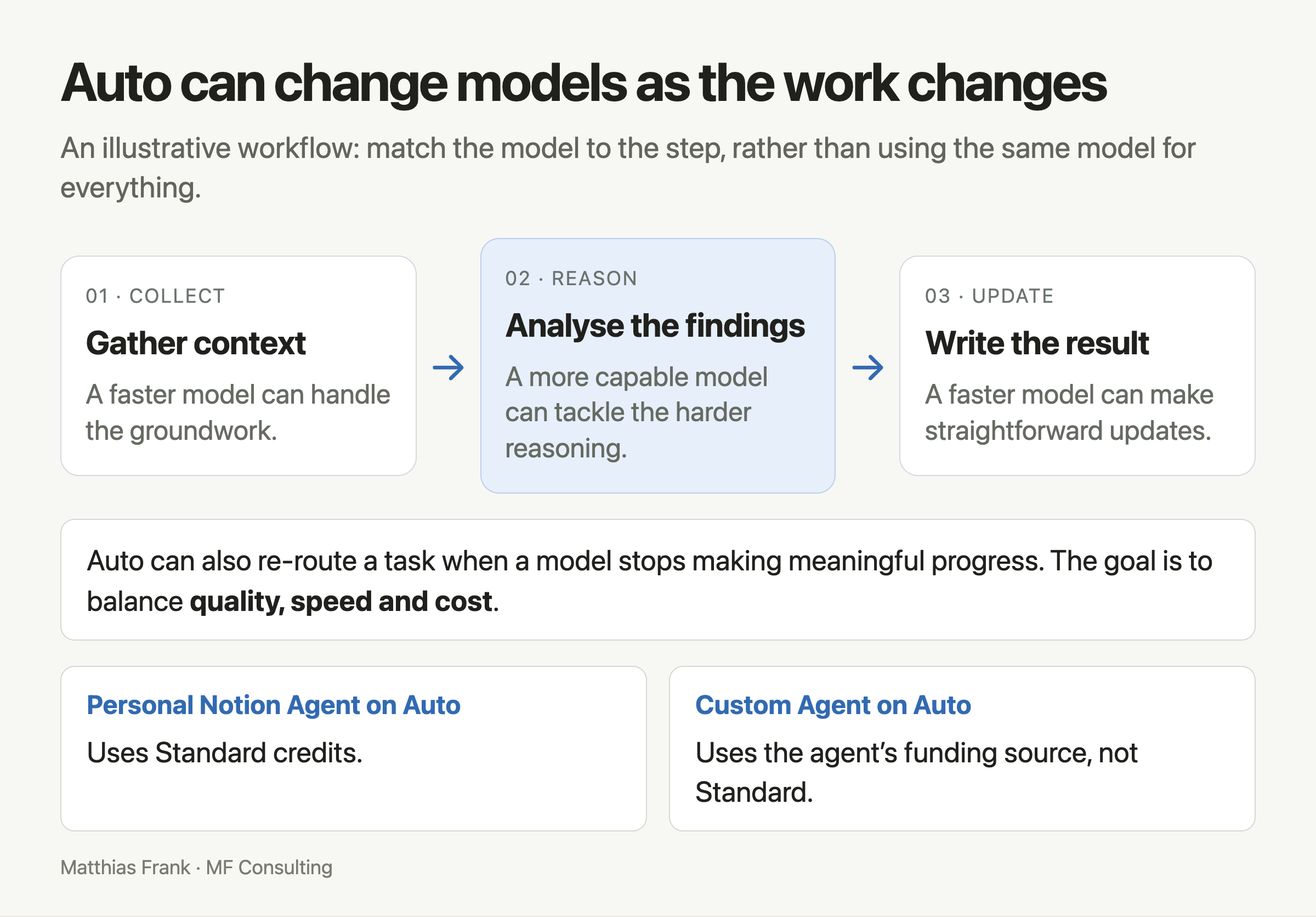
An illustrative workflow showing how Auto can match different models to different stages. This is a routing example, not a measured result.
Notion says Auto delivered similar results to frontier models at about 90% lower average cost across more than 20 common use cases. Treat that as Notion’s benchmark claim—not a guarantee for your workflow.[2]
Should You Stop Choosing Models Manually?
I’m not ready to recommend that across the board.
Previously, one of my first recommendations to clients was to avoid Auto. I wanted you to decide whether the task needed serious reasoning or whether a faster, cheaper model would do.
Routing a difficult task to the wrong model can produce weak work and make you lose trust in AI for the wrong reason.
The new router deserves a fresh test, especially for long workflows with clearly different stages. But its usefulness depends on how well Notion can judge progress, spot failure and escalate when needed.
My recommendation: test Auto on workflows where you can judge the result. Check completeness and accuracy, not just whether the answer sounds good.
What Does The New AI Harness Change?
The harness is the machinery around the model: how it keeps working, manages context and uses tools. Notion says its rebuilt infrastructure supports tasks running for up to 24 hours.[6]
It also introduces more durable execution and smarter handling of long conversations and large tool results. The goal is less wasted work and less repeated reading.[2]
A longer runtime is useful, but it is not proof that an agent can finish every complex job correctly. You still need a clear outcome and a way to review the result.
What Can Notion AI’s New Browser Do?
Notion Agent can open websites, click through pages, fill out and submit forms, and download files. Unlike web search, browsing lets it take actions on websites.[7]
That matters when the tool you need has no Notion connection, API or MCP integration available for the task.
The browser complements Notion Computer, which lets the agent run code and work with files. Think of the computer as its workbench and the browser as a way to reach the web.
You can follow its progress in a live browser view and take control when needed, including to sign in to a website.[7]
How Do You Enable Web Browsing?
Availability depends on workspace controls. On Enterprise plans, or when you work with an account manager, an owner or admin must first allow browsing under Settings → Notion AI → Enable web browsing for computer.[7]
Individual agent browsing controls also apply. Follow Notion’s browser setup guide if the option isn’t available.
Browser access introduces risks, including malicious instructions on websites, data exposure and untrusted code. Notion explicitly warns that these risks cannot be eliminated completely.[7]
Start with low-risk tasks. Being able to submit a form is not the same as being allowed to send confidential information anywhere on the internet.
Can You Use Your ChatGPT Subscription Instead?
Yes. Eligible Business and Enterprise members can connect a ChatGPT Plus, Pro or Go account and use that subscription with their personal Notion Agent when selecting a specific GPT model. This does not fund custom agents.[4]
To connect:
- Open Settings → Notion AI → Usage.
- Find Connected subscriptions.
- Select Connect next to ChatGPT.
- Sign in and approve the connection.
- Select a specific GPT model in Notion Agent and check which plan the model picker shows.
You can also connect through the model picker using Connect ChatGPT plan.[4]
Choosing Auto still uses Standard credits. Choosing a non-GPT model yourself normally uses Select credits, subject to models that require workspace funding.
If you hit your ChatGPT plan’s limit, Notion asks you to switch to workspace Notion credits to continue. The connected subscription is another funding option—not unlimited usage.[4]
What About Bringing Your Own API Key?
Notion announced bring-your-own-key support in private alpha for Enterprise customers. That is separate from connecting your personal ChatGPT subscription, and not a generally available feature for every workspace.[2]
I’d love to see similar subscription support for Anthropic. That is a wish, not an announced capability in this update.
Is This A Good Change For Teams And Power Users?
For teams, the clearest benefit is easier access to custom-agent experimentation. For power users, the biggest trade-off is that manual model selection and your own agents compete for the smaller included allowance.
I like giving every eligible member room to build something useful without an extra purchasing conversation.
I’m less keen on having three quarters of the included credit count tied to Auto. I want to test the router because it works well—not mainly because that is where most of my allowance lives.
Notion’s explanation is that separate allowances protect everyday AI usage from being swallowed by complex tasks or frequently running agents.[2]
That is a reasonable goal. Whether the balance feels right depends on what the credits buy in your actual work.
If you’ve already run into limits, the article on how to avoid Notion AI usage limits covers practical ways to stay within your allowance.
What Should You Do Before The Transition?
- Check your allowance: Look at your own Usage screen and reset dates.
- Review agent ownership: Shared usage may still spend the creator’s Select credits.
- Fund team dependencies: Don’t leave an essential workflow dependent on someone’s spare allowance.
- Test Auto deliberately: Use work you can evaluate and compare the results with your usual approach.
- Agree on overages: Decide whether workspace-funded continuation should be enabled.
- Check connected subscriptions: Use eligible external funding where it makes sense.
The broader direction is exciting: Notion can be the shared working surface for your team and your AI tools, rather than forcing everything into one provider’s interface.
Keep your context and processes useful regardless of which AI sits on top. Then judge the new Notion harness on whether it reliably gets your work done.
💼 Need the support of certified Notion Consultants? My team and I are here to help!
📬 Get 41 free Notion resources and weekly tips in the newsletter.
Notion Pricing Cheat Sheet
Keep this overview handy when reviewing your team’s allowances, agent ownership and workspace funding.
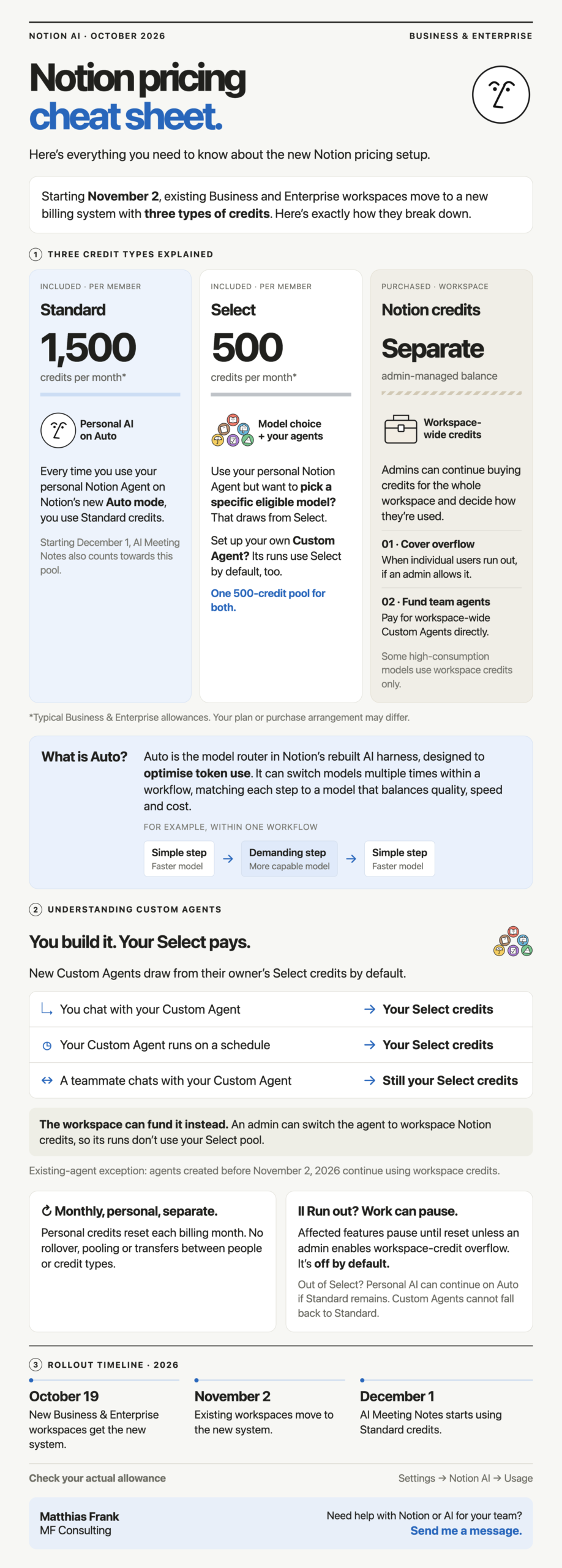
The new credit system at a glance, including the November 2 transition for existing workspaces and the December 1 change to AI Meeting Notes.
Frequently Asked Questions
Do All Notion Plans Get 2,000 AI Credits Per Month?
No. The new included allowances apply to Business and Enterprise seats: generally 1,500 Standard and 500 Select credits per member monthly. Your exact amount can vary by purchase arrangement, so check Settings → Notion AI → Usage.[1]
Can You Combine Standard And Select Credits?
No. The allowances are separate and cannot be exchanged, pooled across the workspace or transferred between members. Unused included credits reset monthly without rolling over.[1]
Whose Credits Pay For A Shared Custom Agent?
By default, a shared custom agent spends its owner’s Select credits, even when a colleague uses it. An admin can instead fund it with workspace Notion credits, making it less dependent on the owner’s personal allowance.[1]
Can You Keep Using Notion AI After Select Credits Run Out?
Yes, if you still have Standard credits, you can switch your personal agent to Auto for Standard-funded work. Select-funded work needs a reset or eligible extra funding, and Standard credits cannot pay for your custom agents.[1]
Can Your ChatGPT Subscription Pay For Notion Custom Agents?
No. The ChatGPT connection works with your personal Notion Agent when you select a specific GPT model. It does not fund Auto, non-GPT models or custom agents.[4]