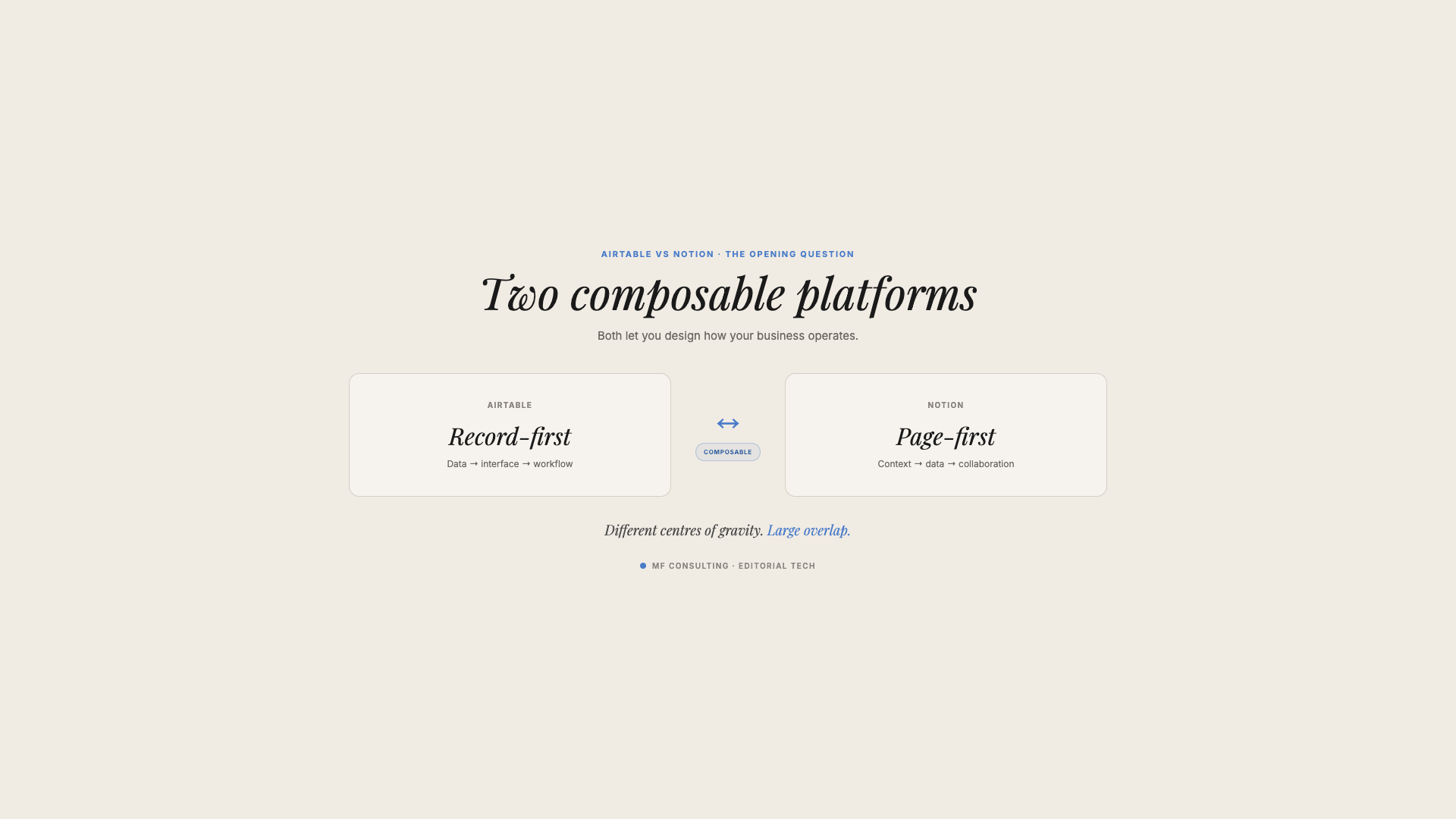
Airtable vs Notion is no longer a comparison between a “proper database” and a knowledge base. Both platforms can run relational business systems with structured data, linked records, formulas, automations, permissions and dashboards — but Notion also connects that structure to documents, knowledge and AI in the same workspace.
That makes Notion the stronger default for most organisations building an operational system in 2026.
Airtable still has advantages. It is excellent at creating tightly controlled, app-like interfaces around structured data. If that is your main requirement — or your existing Airtable setup already works without meaningful problems — you may have no reason to move.
But the old assumption that Airtable is for “serious data” while Notion is only for notes no longer holds up.
I should disclose my bias upfront: I am a Notion consultant, and my team helps companies build operational systems in Notion. However, I have also recommended Airtable to clients when it was the better fit. The point of this comparison is not to pretend both tools are identical. It is to show where the differences actually are today.
Should You Choose Airtable Or Notion In 2026?
You should choose Notion if you want one operational platform for structured data, project management, documentation, knowledge and AI-assisted work. Choose Airtable if your priority is building controlled internal applications around structured records and you do not need a rich knowledge layer in the same system.
The short version looks like this:
- Choose Notion when you want databases and documents to live together.
- Choose Notion when AI needs access to both structured records and the context around them.
- Choose Notion when your system needs to cover projects, tasks, goals, knowledge, meetings and workflows.
- Choose Airtable when you want to build focused mini-apps with carefully controlled interfaces.
- Stay with Airtable if it already works and there is no business reason to absorb the cost and friction of migration.
The most important question is not which tool has the longer feature list. It is which one can support the business outcomes you need without forcing your team to stitch together unnecessary tools.
Is Notion Just A Knowledge Base?
No. Notion is a page-first platform that includes a relational database system. Every database entry is both a structured record and a full page that can contain documents, images, files, videos, embedded tools and other blocks.
The “Notion is a knowledge base” assumption comes from what you see when you create a new page: a blank canvas. It feels like a document because it is one.
But that page can also sit inside a database with:
- Properties such as status, owner, date, number and select
- Relations to entries in other databases
- Rollups that aggregate related data
- Formulas that calculate new values
- Filters, sorts and groups
- Table, board, timeline, calendar, gallery, list and chart views
- Page layouts and templates
- Database automations
- Page-level access rules
Notion’s own documentation describes every database item as a page and supports properties, relations, rollups, formulas and multiple database views. That is not a lightweight notes feature bolted onto a wiki. It is a structured data model with an unstructured content layer attached to every record.
This distinction matters because most business information is neither purely structured nor purely unstructured.
A project has structured fields:
- Status
- Owner
- Start and end dates
- Budget
- Client
- Related tasks
But the same project also needs unstructured context:
- The brief
- Decisions and assumptions
- Meeting notes
- Research
- Standard operating procedures
- Images, files and links
- Explanations of what “done” actually means
Airtable is strongest in the first category. Notion handles both categories in one object.
That does not make Notion less structured. It makes the structured record more useful.
Does Airtable Have Better Structured Data Than Notion?
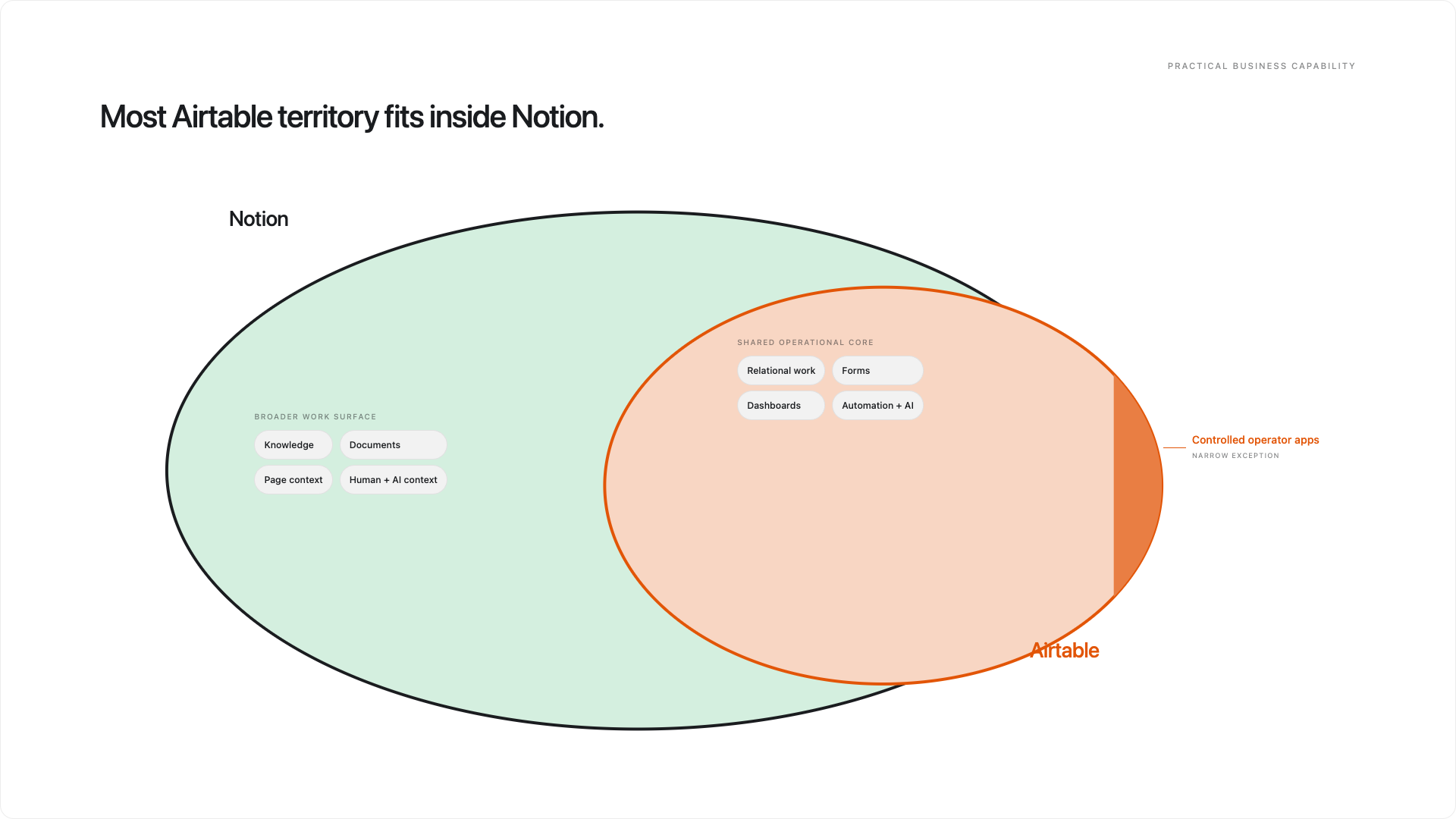
Not by default. For the structured data patterns most operational teams need, Airtable and Notion have substantial feature parity.
Both platforms let you create tables or databases for objects such as:
- Projects
- Tasks
- Clients
- Contacts
- Deals
- Products
- Content
- Goals
- Meetings
Both let you define typed fields or properties, connect records, calculate values, build filtered views and trigger workflow logic.
The terminology changes, but the core model is familiar:
| Airtable | Notion | What It Represents |
|---|---|---|
| Organisation | Workspace | The top-level company environment |
| Workspace | Teamspace | A permission and content grouping |
| Base | No exact equivalent | Airtable bundles tables, interfaces and automations into one app container |
| Table | Database or data source | A collection of one type of object |
| Record | Page | One item in the collection |
| Field | Property | A structured attribute of the item |
| Linked record | Relation | A connection to another item |
| Lookup or rollup | Rollup or formula | A value retrieved or calculated through relations |
| Interface | Dashboard or workflow page | A user-facing operating screen |
If you already understand Airtable, you do not need to relearn relational database design to use Notion. You mostly need to translate the vocabulary and understand Notion’s more open page model.
Can Notion Create Relational Databases?
Yes. Relations connect pages across databases, while rollups aggregate information from those related pages.
A typical system might contain separate databases for Clients, Projects and Tasks:
- Each task relates to a project.
- Each project relates to a client.
- A project rollup counts its completed tasks.
- A formula calculates progress or flags overdue work.
- Filtered views show each person only the tasks relevant to them.
This is the same relational pattern you would build in Airtable.
Notion formulas can also work with lists produced by relations and rollups, which allows you to create logic across connected data. You should still test complex calculations carefully rather than assume every Airtable formula has a direct copy-and-paste equivalent.
Can Notion Handle Large Databases?
Yes, within the limits of an operational workspace tool. Notion currently documents a limit of up to 250,000 rows per database.
Airtable’s limits depend on the plan. Its official plan overview lists 50,000 records per base on Team, with records counted cumulatively across the tables in that base. Higher Airtable plans increase the allowance.
Raw limits do not tell the whole story. Performance in either platform also depends on:
- The number of properties or fields
- The complexity of formulas and rollups
- How many records a view loads
- The amount of content and attachments
- The design of dashboards and interfaces
- The device running the application
For the vast majority of project management, CRM, content, operations and knowledge systems, both tools can manage substantial datasets.
If you need to process millions of transactional records, neither platform should automatically become your primary data warehouse. Use a proper SQL database or warehouse, then expose the relevant information through your operational layer.
Pro Tip: Do not design a dashboard that loads every record and every property simply because the platform allows it. Focus each view on the decisions and actions that matter to its audience.
What Is The Real Difference Between Airtable And Notion?
The real difference is not “structured versus unstructured”. Airtable focuses primarily on structured data, while Notion combines structured data with unstructured information.
Think of Airtable as a database and app builder. Think of Notion as a flexible operational workspace in which databases, documents and interfaces use the same building blocks.
| Area | Airtable | Notion | Practical Edge |
|---|---|---|---|
| Relational data | Tables, linked records, lookups, rollups and formulas | Databases, relations, rollups and formulas | Broad parity for typical operational systems |
| Documents and knowledge | Information is mainly field-bound | Every record includes a full page body | Notion |
| Controlled apps | Dedicated Interface Designer | Dashboards, layouts and locked pages | Airtable |
| Flexible team workspaces | Centred on bases and applications | Pages and databases can be combined across teamspaces | Notion |
| Simple automations | Central automation area inside a base | Automations are managed on databases | Airtable for management clarity |
| Custom code | Scripts and integrations | Workers can run background code and extend agents | Depends on the workflow |
| AI on records | Omni and Field Agents | Notion Agent, Autofill and Custom Agent Autofill | Broad parity at record level |
| Autonomous agents | AI centred on bases, apps and records | Custom Agents can run on triggers across workspace content and connected tools | Notion |
The important implication is that Airtable’s narrower focus can be an advantage when you want a controlled application. Notion’s broader model is an advantage when the application needs to connect with how the rest of the organisation thinks and works.
Where Is Airtable Better Than Notion?
Airtable is better when you want to create a tightly controlled application around structured records.
Its architecture naturally separates the backend from the frontend:
- Tables store the data.
- Automations run the workflow logic.
- Interfaces provide a controlled experience for users.
That separation encourages builders to design the data model first and publish a specific interface afterwards.
Notion works in the opposite direction. You often start on a page that already acts as an interface, then add databases and linked views to it. This is faster and more flexible, but it also requires discipline.
Without governance, teams can end up with databases scattered across dashboards, inconsistent views and unclear ownership.
Airtable therefore has an edge when:
- You are building a focused internal application rather than a broad workspace.
- Users should only interact through predefined screens.
- Strict frontend/backend separation is central to the design.
- Your team prefers a more compartmentalised environment.
- The rich document body attached to records would add little value.
That is a real advantage. It is simply different from saying Airtable is inherently more capable with structured data.
Where Is Notion Better Than Airtable?
Notion is better when structured data needs context and must connect to knowledge, projects, meetings and AI-assisted workflows.
Its biggest advantage is that a database record does not end at its properties.
Open a project and you can place the complete brief underneath the structured metadata. Open a process and you can combine its owner, review status and category with the complete standard operating procedure. Open a meeting and you can connect participants and projects to the notes and transcript.
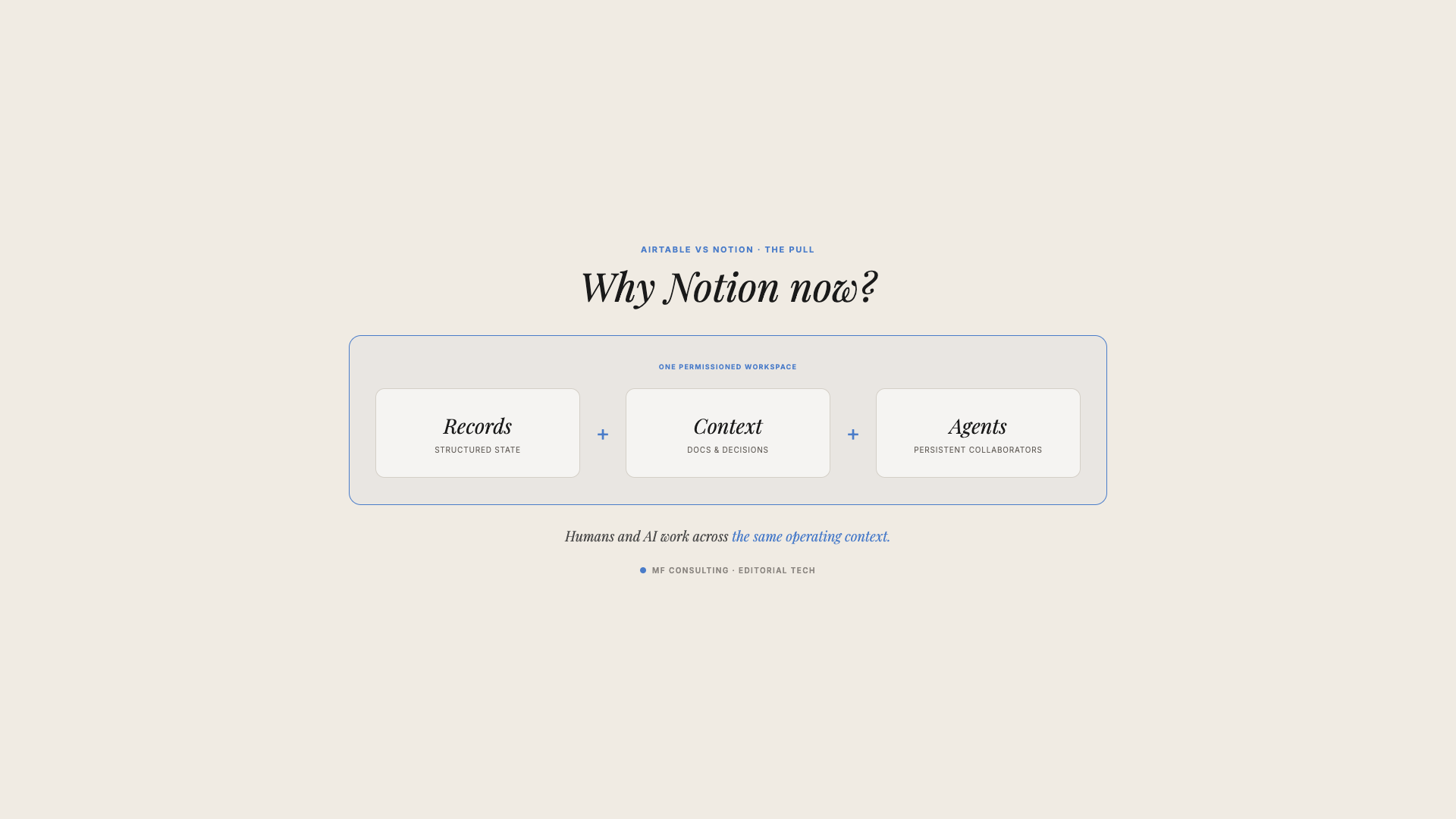
This creates a single operating layer for both people and AI.
Why Does Unstructured Context Matter For AI?
AI needs more than statuses and due dates. It needs the explanations, decisions, policies and examples that give those fields meaning.
Structured data tells an agent that a project is At risk. Unstructured context tells it:
- Why the project is at risk
- Which dependency failed
- What the client said in the last meeting
- Which escalation process applies
- What a good recovery plan looks like
When both live in one connected system, an agent can do more than retrieve records. It can interpret them in context.
Notion’s current AI layer includes:
- A personal Notion Agent for one-off work
- Basic Autofill for summaries, tags and extraction
- Custom Agent Autofill for multi-step enrichment using workspace or web context
- Custom Agents that run automatically on triggers and schedules
- Workers that execute reliable code-based steps or connect external systems
This does not mean Airtable lacks serious AI. Omni can create and edit tables, views, interfaces and automations, while Field Agents perform work at record level.
The difference is the surface area available to the AI. Notion’s agents can work across both operational databases and the knowledge that explains them.
Why Does Notion Work Well As An Operational Hub?
Notion can cover more of the common operating layer without requiring a separate knowledge tool.
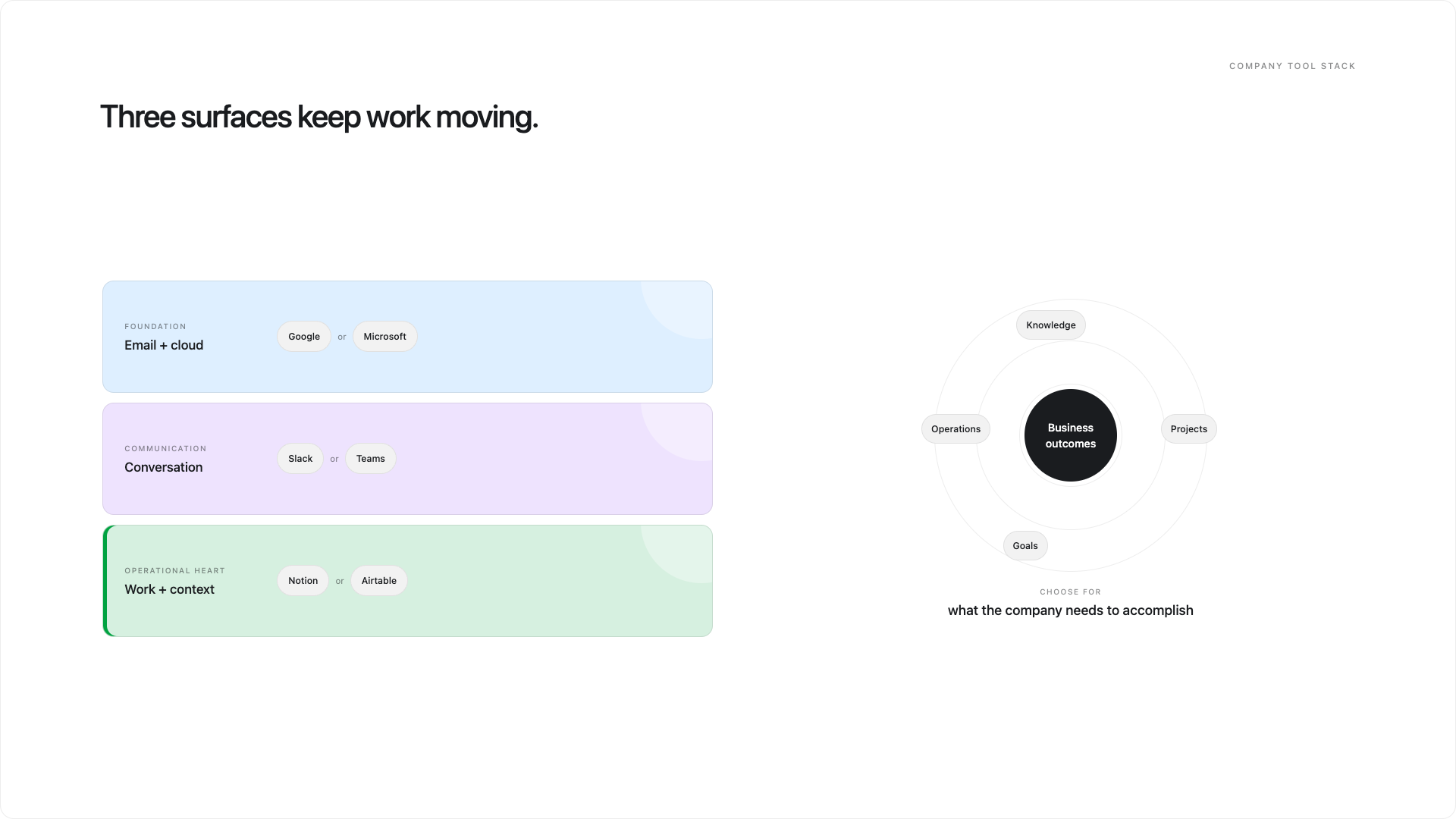
A typical company stack still needs:
- Email and cloud storage, usually Google Workspace or Microsoft 365
- Internal communication, usually Slack or Microsoft Teams
- An operational platform for projects, tasks, goals, processes and knowledge
Specialist systems may sit around that core. You might still need a support platform, financial system, data warehouse or product-specific tool.
But for the operational layer, running Airtable and Notion side by side often creates duplication. Teams must decide where projects live, where documentation belongs and which platform is the real source of truth.
Notion can bring those layers together more naturally because knowledge management is part of the same model rather than a separate product.
How Do Airtable Interfaces Compare With Notion Dashboards?
Airtable interfaces start controlled and are published to users. Notion dashboards start as flexible pages and can then be locked down.
Both can provide role-specific operating screens, but the design philosophy differs.
In Airtable, you usually build the tables first and create an interface on top. In Notion, you create a page and arrange linked database views, charts, buttons, text and other blocks into a dashboard.
The Airtable approach feels more like building an application. The Notion approach feels more like composing a workspace.
This is a double-edged sword:
- Airtable makes boundaries clearer by default.
- Notion makes cross-functional dashboards easier to compose.
- Airtable offers a more controlled user experience.
- Notion allows individuals to create personal views without changing the shared data model.
My preferred Notion architecture is centralised data, decentralised workflows.
Keep your source databases in a governed backend. Build shared dashboards for common workflows. Then let people create personal views when they need a different board, filter or layout.
That gives the organisation one shared language without forcing every person to work through the same screen.
How Do Airtable And Notion Permissions Compare?
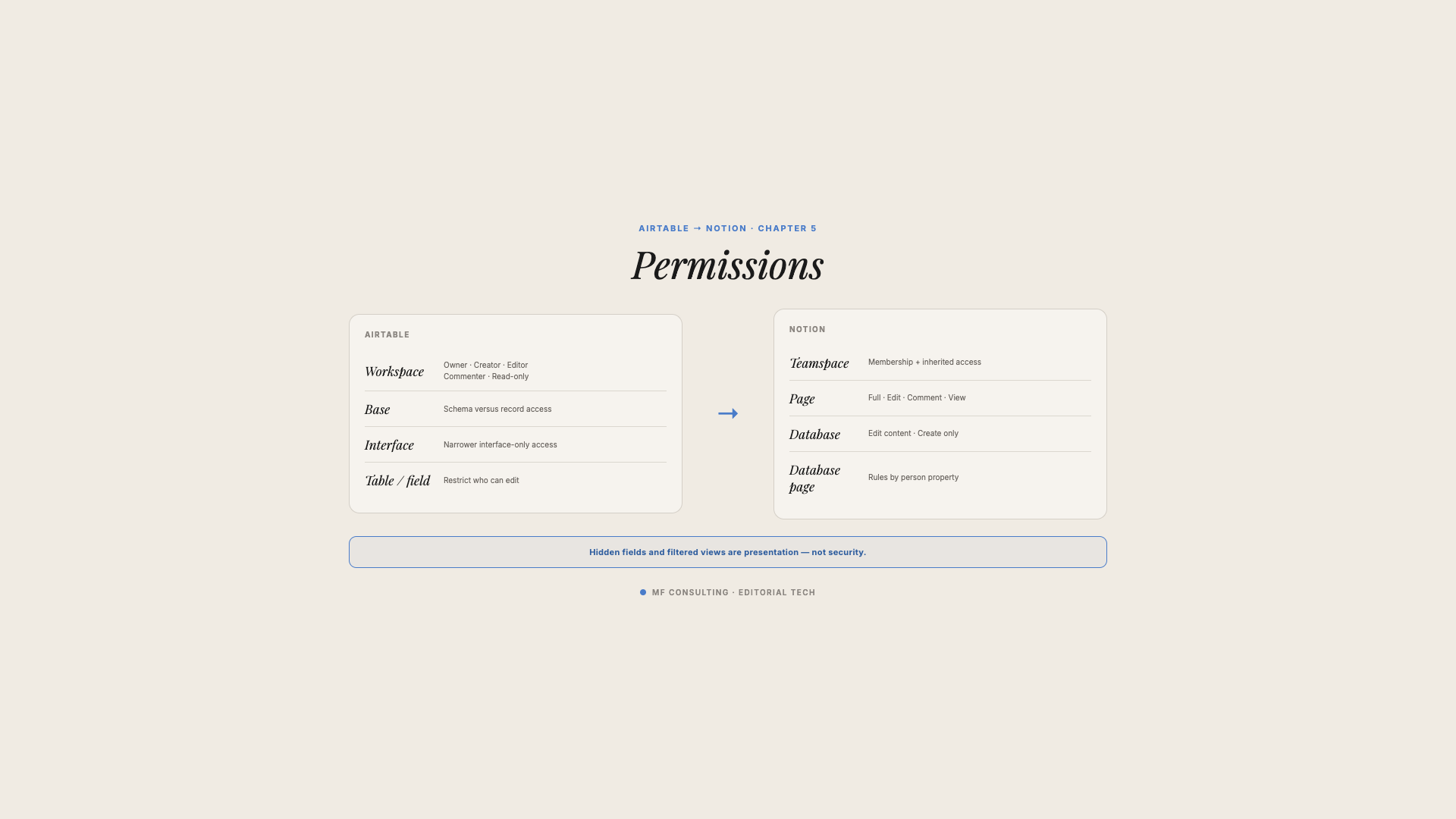
Both platforms support layered permissions, but you should test your exact access model before choosing or migrating.
Notion now supports database page-level access rules based on person or creator properties. This allows you to show people only the database pages relevant to them, even when those pages live in a shared source database.
It also has a Can edit content permission that lets people create and edit database entries without changing the database properties, views, filters or sorts.
That closes a major historical gap. You can now build central databases while controlling which entries different people can access.
However, do not assume that page-level access is the same as fully granular field-level permissions. If your use case depends on letting someone view a record while hiding or locking individual properties, verify the current product behaviour against a real prototype.
Permission design is not something either tool solves automatically. You still need a governance model that answers:
- Who owns the system?
- Who can change the architecture?
- Who can create or edit data?
- Who should only consume information?
- Which information must remain private?
How Do Airtable And Notion Compare For Automation?
Airtable has the cleaner central experience for managing traditional automations inside a base. Notion now covers both simple database automations and custom code, but its automation layer is spread across more surfaces.
Notion database automations can react to changes and perform actions such as:
- Editing properties
- Creating or updating pages
- Sending notifications
- Sending email
- Posting to Slack
- Sending webhooks
- Defining variables for later actions
Workers extend this with code that runs in the background. They are useful for deterministic tasks such as syncing systems, handling events, writing updates or querying external services.
Custom Agents add the reasoning layer. An agent decides what should happen based on instructions and context; a Worker can then execute a reliable technical step.
Airtable supports native automations, scripts and external integrations. If you already have mature Airtable automations, do not expect to copy them directly into Notion.
During a migration, classify each workflow:
- Can a simple database automation handle it?
- Should deterministic logic become a Worker?
- Does the workflow require AI reasoning from a Custom Agent?
- Should it remain in an external system?
This is a redesign exercise, not a checkbox exercise.
Should You Migrate From Airtable To Notion?
You should migrate only when the expected operating improvement outweighs the implementation effort and change-management cost.
The announcement that Bending Spoons has agreed to acquire Airtable is a reasonable moment to review your platform strategy. It is not, by itself, proof that Airtable will deteriorate or that you should leave immediately.
A stronger migration case combines clear push and pull factors.
What Pushes You Away From Airtable?
Common push factors include:
- Knowledge and documentation live in separate tools.
- Teams lack context around structured records.
- Maintaining separate operational and knowledge systems creates duplication.
- Existing interfaces or automations need a major rebuild anyway.
- Your AI strategy requires shared documents and structured data in one environment.
- Airtable’s plan limits or pricing no longer suit the system.
What Pulls You Towards Notion?
Common pull factors include:
- One workspace for databases, documents, projects and knowledge
- Database pages that hold complete briefs and process documentation
- Connected meeting notes and operational records
- Personal, database and autonomous AI agents
- Custom code through Workers
- Flexible dashboards that combine multiple workflows
- The ability to consolidate additional tools
If you cannot name the push or pull factors clearly, do not migrate yet.
Pro Tip: “Leadership prefers Notion” is not a migration strategy. Teams need to understand what will become easier, faster or more reliable after the move.
When Should You Stay With Airtable?
Stay with Airtable when it already delivers the outcomes you need and Notion would add flexibility without solving a real problem.
You should be cautious about migration if:
- Your team loves the current system.
- Your workflows rely heavily on highly controlled Airtable interfaces.
- The documentation layer would remain in another tool anyway.
- You have complex automations with no clear Notion replacement.
- The only argument is a small difference in subscription cost.
- The organisation has no capacity for training and change management.
Notion may be the broader platform, but a theoretically better platform can still produce a worse result if the migration is poorly justified or executed.
How Do You Migrate From Airtable To Notion?
A reliable Airtable-to-Notion migration has three parts: map the data model, redesign the logic and rebuild the user experience.
Do not treat it as a CSV export-and-import project. CSV files can move rows, but they do not preserve the complete system around them.
Step 1: Audit Your Airtable System
Start by documenting:
- Every base and table
- Important fields and field types
- Linked records and dependencies
- Formulas, lookups and rollups
- Views and filters
- Interfaces and their audiences
- Automations and scripts
- Permissions
- Integrations
- Record volumes and attachment requirements
This is also the moment for spring cleaning.
If a table has 120 fields but only 30 are used, do not rebuild the clutter. A migration is one of the few moments when you can simplify the architecture without creating a second clean-up project later.
Step 2: Map Airtable Objects To Notion
Each Airtable table will usually become a Notion database. Fields become properties, linked records become relations and interfaces become dashboards or workflow pages.
The mapping may be conceptually simple, but you still need to test:
- Formula equivalents
- Rollup behaviour
- Permission rules
- Page layouts
- File migration
- Historical references
- Naming conventions
Create the new schema before moving production data.
Step 3: Build A Proper Importer
For a serious migration, use the Airtable and Notion APIs rather than relying only on CSV files.
A purpose-built importer can:
- Preserve stable links between records
- Recreate relations after pages are created
- Transform field values into the correct property types
- Move attachments deliberately
- Log failures and retry safely
- Validate record counts
- Preserve source IDs for auditing
Run a test migration first. Compare totals, sample relations and inspect edge cases before scheduling the final cutover.
Step 4: Redesign Automations And AI Workflows
Do not rebuild every automation one by one without asking whether the workflow still makes sense.
Group related logic and decide which parts belong in:
- Notion database automations
- Workers
- Custom Agents
- External code or specialist platforms
This is also your chance to replace brittle chains of no-code actions with code-based processes that are easier to test, version and maintain.
Step 5: Rebuild Interfaces As Workflow Pages
Interfaces usually require the most hands-on redesign because Airtable and Notion approach them differently.
For every interface, ask:
- Is it informational or action-oriented?
- Which decisions should it support?
- Which data should appear by default?
- What should be hidden behind filters or details?
- Does the user need a shared dashboard or a personal view?
- Can AI handle actions that previously required buttons and forms?
Do not reproduce screens pixel for pixel. Rebuild the workflow around the strengths of the new platform.
Step 6: Plan Governance And Adoption
A technically correct migration can still fail if people do not understand the system.
Define:
- Database owners
- Architecture permissions
- Naming and documentation standards
- Where source databases live
- How new dashboards are created
- How issues and requests are handled
- Training for builders, contributors and viewers
Then cut over in phases where possible, rather than leaving two competing sources of truth open indefinitely.
What Is The Final Verdict On Airtable Vs Notion?
Notion is the better default for most organisations that want one operational platform for databases, projects, knowledge and AI. Airtable remains excellent for teams whose primary goal is building tightly controlled applications around structured records.
The key point is that Airtable no longer gets an automatic win on structured data.
Notion can model relational business systems with properties, relations, rollups, formulas, views, permissions, automations and substantial record volumes. Its page and knowledge layer sits on top of that structure; it does not replace it.
That makes the comparison less about database capability and more about operating philosophy:
- Airtable asks: What application should we build around this data?
- Notion asks: How should data, knowledge and people work together?
For a focused mini-app, Airtable may still be the sharper tool.
For the operational heart of a company — particularly one preparing for more AI-assisted work — Notion now covers a much wider surface area.
💼 Need the support of certified Notion Consultants? My team and I are here to help!
Frequently Asked Questions
Is Notion A Database Or A Knowledge Base?
Notion is both. It combines relational databases with pages, documents and knowledge management, so every structured database entry can also contain unstructured context.
Can Notion Replace Airtable?
Notion can replace Airtable for many project management, CRM, content, operations and knowledge workflows. You should prototype any specialised interfaces, formulas, automations and permission requirements before committing to a migration.
Is Airtable Better Than Notion For Structured Data?
Airtable is not automatically better for structured data. Both platforms support relational records, typed fields, formulas, rollups, filtered views and workflow automation; Airtable’s clearer advantage is building more controlled app-like interfaces around that data.
Can You Import Airtable Into Notion?
Yes, but a serious migration should use the APIs rather than depend only on CSV files. A proper importer can preserve relations, transform property types, move files and validate that historical data arrived correctly.
Should You Use Airtable And Notion Together?
Usually, you should choose one as the main operational source of truth. Running both can work when they have clearly separate jobs, but overlapping project, CRM or content data often creates duplication and confusion.
Is Notion Scalable Enough For Business Operations?
Yes for most operational systems, with Notion documenting up to 250,000 rows per database. Very large transactional datasets or analytical workloads may still belong in a dedicated SQL database or data warehouse, with Notion serving as the human and AI-facing operating layer.