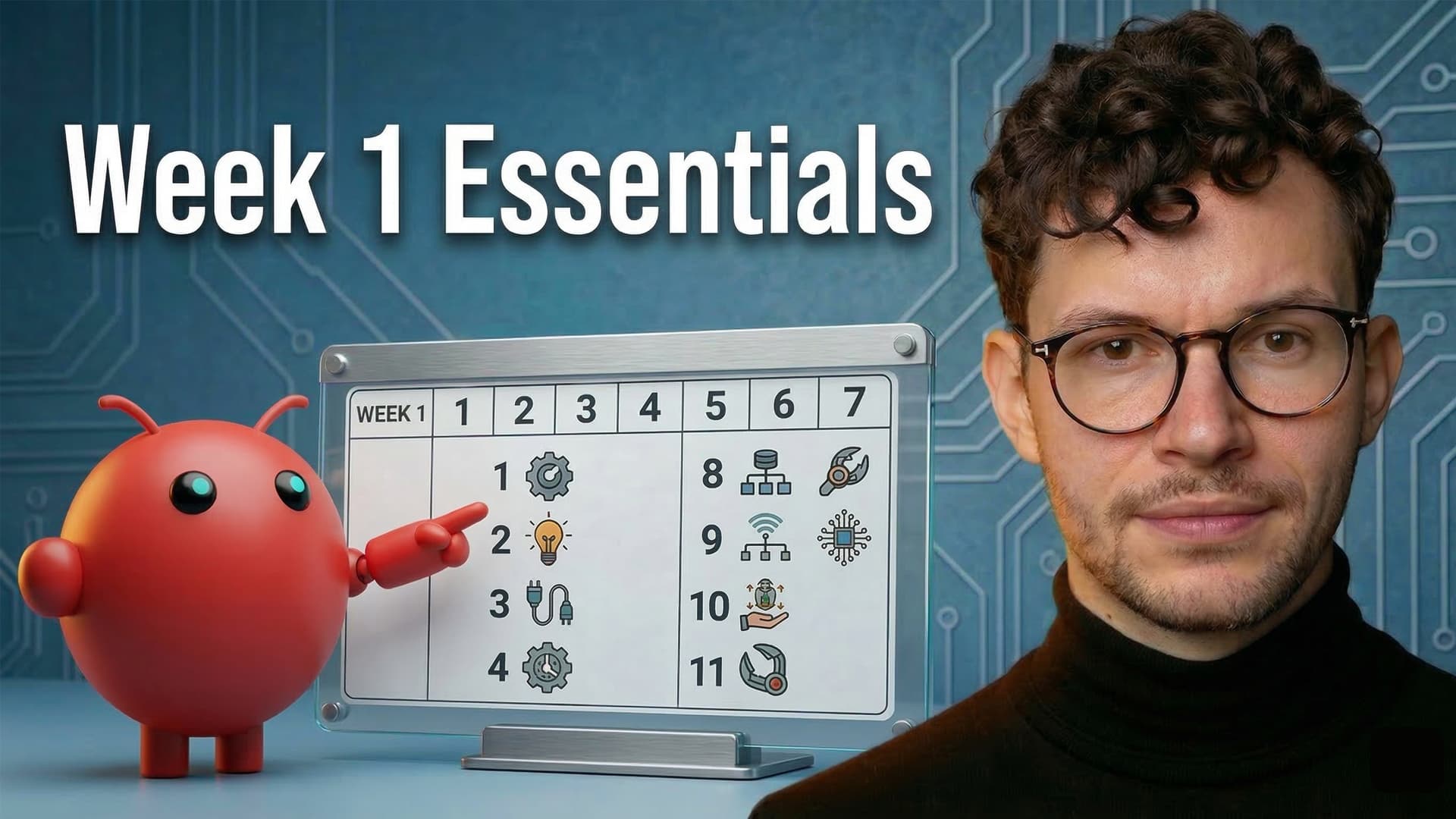
Setting up OpenClaw with Notion in your first week is less about building flashy workflows and more about laying foundations that compound over time. After six days with my own OpenClaw — named Ezra, running on a dedicated Mac Mini as my chief of staff — I narrowed down the 11 specific things that had the biggest impact. Some are quick wins you can knock out in minutes. Others, like memory architecture and agent communication, take more thought but unlock genuinely autonomous behaviour. Whether you’re brand new to OpenClaw or you’ve been tinkering for a few days, this is the setup checklist I wish I’d had from the start.
| # | Setup Step | Category | What It Unlocks | Effort |
|---|---|---|---|---|
| 1 | AI introduction letters | Foundation | Accelerated context and personality | ⚡ Quick |
| 2 | Notion home (tasks + projects) | Foundation | Structured task management | ⚡ Quick |
| 3 | Documents database | Foundation | Readable collaborative output | ⚡ Quick |
| 4 | Webhook feedback loop | Communication | Real-time Notion → OpenClaw notifications | 🔧 Medium |
| 5 | Notion research agents | Communication | Delegated research with scoped access | 🔧 Medium |
| 6 | Agent chat channel | Communication | Multi-agent coordination | ⚡ Quick |
| 7 | Memory loop | Memory | Cross-session context for other agents | 🔧 Medium |
| 8 | Proactive suggestion system | Memory | Autonomous overnight work | 🧠 Advanced |
| 9 | Chief of staff mindset | Strategy | Systems thinking over ad-hoc tasks | 💡 Mindset |
| 10 | AI org chart | Strategy | Scalable agent team structure | 💡 Mindset |
| 11 | First end-to-end project | Strategy | Proof of concept + real business value | 🔧 Medium |
How Should You Seed Context For Your OpenClaw?
The fastest way to give your OpenClaw a head start is to have your existing AI assistants write introduction letters. Your OpenClaw builds personality and memory far quicker than tools like Claude — but it still needs raw material to work with.
The prompt is simple. Tell your existing AIs — whether that’s a Notion agent, Claude, ChatGPT, or anything else — that a new team member is joining. Ask them: what should this new colleague know about how you work?
Each AI surfaces different insights. Your Notion agent knows your workspace structure. Claude knows your thinking patterns from long conversations. Feed those letters to your OpenClaw, and you’ve just compressed weeks of context-building into an afternoon.
Once the letters are in, flip the script. Ask your OpenClaw to interview you based on what it’s learned. It’ll spot the gaps your other AIs missed — and the conversation itself becomes rich memory material.
Pro Tip: Don’t skip this even if you think you can just “explain yourself” to your OpenClaw directly. The letters reveal patterns about your working style that you’d never think to articulate yourself.
Why Does Your OpenClaw Need A Notion Home?
Your OpenClaw will generate tasks, projects, and documents at a pace that quickly outgrows a file system. Giving it a dedicated Notion home — a self-contained page with its own databases — is the single most practical thing you can do in week one.
Set Up Tasks And Projects Databases
Create a separate page in Notion and build two databases inside it: one for tasks, one for projects. Then create a dedicated API key that gives your OpenClaw read and write access to this page and everything inside it.
Yes, this breaks the usual recommendation of keeping all tasks in one central database. That’s intentional. OpenClaw is new technology — you’re still learning how it operates. Start sandboxed. Once you’ve nailed the operating rules and found a good rhythm, you can upgrade your agent to write directly to your main databases.
👉 One practical note: use a select property (not a person property) to distinguish who a task is assigned to. Your OpenClaw will manage both its own tasks and tasks it needs from you, and the Notion API can’t set guest users on person properties. If you add your OpenClaw as a full workspace member instead, make sure your permissions are properly locked down.
Add A Documents Database
Your OpenClaw will produce a ton of markdown documents — research reports, drafts, analysis, briefs. Some of those should live on the Mac Mini for quick access. But anything you need to actively review or collaborate on should go to Notion.
Reading markdown files on an isolated Mac Mini is painful. You’d need remote access, syncing tools, or custom viewers. Notion handles markdown beautifully — especially since the recent API update that exposes markdown in responses, making it much easier for your agent to read your edits too.
Pro Tip: Keep your OpenClaw’s core operating documents (soul.md, instructions, etc.) on the local machine for speed. Push collaborative output — newsletters, research reports, anything you need to review — to the Notion documents database.
How Do You Build A Feedback Loop Between Notion And OpenClaw?
The real power of connecting OpenClaw to Notion comes when communication flows both ways. Your OpenClaw can already push to Notion through the API. The missing piece is Notion pushing back — notifying your OpenClaw when something changes.
You solve this with webhooks. Notion’s native database automations can fire a webhook whenever a specific condition is met. For example: when a task status changes to “Ready to Start,” Notion sends an HTTP POST request to your OpenClaw’s webhook endpoint.
The setup has three parts:
- Create a webhook endpoint on your Mac Mini (your OpenClaw can help you build this)
- Set up a Notion database automation with your trigger condition
- Point the automation’s webhook action at your endpoint
Once this is live, your OpenClaw reacts instantly to changes in Notion. Task marked as ready? It starts working. Document flagged for review? It picks it up. You stop being the middleman.
Pro Tip: Start with one simple trigger — something like “notify when task status changes to Done.” Get comfortable with the webhook flow before building complex chains.
How Can Notion Research Agents Work For Your OpenClaw?
Notion’s custom agents are powerful but their output stays inside Notion. Your OpenClaw lives outside Notion but has broader reach — external APIs, code execution, file system access. Combine the two and you get something neither can do alone: delegated research with controlled scope.
Here’s the setup:
- Create a “Research Requests” database in your OpenClaw’s Notion home
- Build a Notion custom agent that triggers when a new entry appears
- Give that agent scoped permissions — control exactly which workspace data it can access
- The agent writes its findings back to the same database and updates the status
- A webhook fires on status change, notifying your OpenClaw that results are ready
This is particularly powerful because of the permission model. You control exactly what information flows to your OpenClaw through the custom agent’s scope settings. Want it to search your whole workspace? Allow it. Want to exclude sensitive client data? Restrict it. The custom agent acts as a controlled gateway.
What’s The Best Communication Channel For Your AI Agents?
Once you have multiple AI tools — an OpenClaw, a Notion agent, Claude, custom agents — you need a way for them to coordinate without you playing copy-paste relay.
The simplest solution is a shared chat database in Notion. It’s a single database where any agent can post a message, tag who it’s for, and include the full context. Every agent that can access Notion (directly or via API) can read and write to it.
This works especially well for OpenClaw because you can attach a webhook. Whenever a message is tagged for your OpenClaw, Notion fires the webhook and your agent picks it up immediately. That means both your Notion agent and Claude (via MCP) can effectively ping your OpenClaw and hand off work.
The one gap right now: funnelling information back to Claude isn’t seamless yet. Claude can pull from the chat via MCP, but it’s not a great persistent connection. This is an evolving space — expect better solutions soon.
Eager to go deeper on how Notion agents work? Check out the full Notion custom agents tutorial for advanced governance and scaling strategies.
Pro Tip: Keep the schema simple. A title, author select, content field, and a checkbox for “notified” is all you need. Resist the urge to over-engineer it.
How Do You Solve OpenClaw’s Memory Problem?
OpenClaw has excellent within-session memory — it logs rich context from every conversation. But every time a cron job wakes your agent, it starts a completely fresh session with no memory of what happened 30 minutes ago. Understanding this is critical to building reliable autonomous behaviour.
Push Daily Memories To Notion
The simplest memory bridge: have your OpenClaw push a summary of its daily memories to Notion at the end of each day. Your other agents — particularly your Notion agent — can then read those summaries as part of their own routines.
In my setup, Dwight (my Notion agent) reads Ezra’s memory summaries during my morning briefing. That means Dwight always knows what Ezra worked on, even though they operate in completely different environments.
Build A Proactive Overnight System
This is the most architecturally interesting setup from week one — and the one I’m most excited to see compound over time.
The flow:
- 2:00 AM — A cron job wakes your OpenClaw. It reads its recent memories and current priorities, formulates research questions, and sends them to the Notion research agents database
- Before falling asleep, it writes a handoff document — a note to its future self explaining what it just did and what to look for when it wakes up
- 2:30 AM — Custom agents finish research. Webhook fires. OpenClaw wakes again — but with zero memory of the session 30 minutes ago
- It reads the handoff document, now knows exactly what to do, processes the research results, and writes another handoff document with its conclusions
- 7:15 AM — OpenClaw wakes for the morning, reads the overnight handoff, and presents suggestions
The key insight: handoff documents are the workaround for stateless sessions. Every time your OpenClaw goes to sleep, it needs to leave breadcrumbs for its future self. This is identical to how Notion custom agents work — every run is self-contained, so persistent behaviour requires externalised memory.
Pro Tip: If this sounds complicated, that’s because it is. But building it teaches you more about how agents and memory actually work than any tutorial. That knowledge transfers directly to building better Notion custom agents, better prompts, and better systems overall.
Why Should You Think Of Your OpenClaw As A Chief Of Staff?
The biggest unlock isn’t any single integration — it’s the mental model. Stop thinking of your OpenClaw as a tool you give commands to. Start thinking of it as a chief of staff who builds systems.
The pattern that works:
- Spot a recurring pain point in your workflow
- Test the solution manually with your OpenClaw — explore, refine, iterate together
- Once the workflow is solid, turn it into code that runs without intervention
This last step is crucial. Most things you intuitively want to use AI for are actually deterministic — they follow the same pattern every time given specific inputs. For those, you don’t need an LLM burning tokens on every run. Have your OpenClaw write the code once, then let it run on autopilot.
The LLM’s reasoning is most valuable in the exploration phase. Once a workflow is proven, codify it and save the tokens for the next problem.
How Do You Build An AI Org Chart?
Treat your AI agents as team members with real roles — not interchangeable tools. This isn’t just philosophy. It has practical implications for how you structure work, delegate tasks, and scale.
In my setup, Ezra (OpenClaw) is the chief of staff. Cleo is Ezra’s first hire — a sub-agent that handles implementation work. When Ezra spawns Cleo, she starts completely fresh with no memory or personality. Ezra hands her a brief every time: who she is, what rules she follows, and what the specific task is.
Over time, you can build learning into this. Have sub-agents write a “lessons learned” document at the end of each task. Next time they’re spawned, include that document in their brief. Even though they start fresh every time, their accumulated knowledge grows.
✅ The practical advantages of sub-agents:
- Parallelism — Ezra can hand Cleo a coding task and continue working on something else with you
- Separation of concerns — strategic thinking stays with Ezra, implementation goes to specialists
- Scalability — new roles can be added as needs emerge without overloading one agent
Pro Tip: Start with one sub-agent for a clear, repeatable task. Don’t build a whole org chart in week one — let it grow organically as you discover what’s worth delegating.
What Should Your First OpenClaw Project Be?
After all the infrastructure work, you want one end-to-end project that ties everything together and delivers actual value. Pick something with a clear input, a clear output, and enough steps to exercise the systems you’ve built.
My first project: a fully automated YouTube-to-WordPress pipeline.
The old way: record video, manually write blog post, manually edit, manually upload to WordPress. Easily 2+ hours of work after the video was done.
The new way:
- Claude handles initial planning and research (best at fast, deep reasoning)
- Dwight (Notion agent) reviews Claude’s plan and adjusts it for the Notion workspace structure
- Dwight pings Ezra (OpenClaw) through the agent chat
- Notion custom agents handle the content pipeline — blog post creation, link placement, image generation
- When the article hits “Ready for Publish,” a webhook fires and Ezra publishes to WordPress — slug, meta data, images, everything
The result: I finish the YouTube video, send the transcript to Dwight, and step out of the content production cycle entirely. Zero attention required from that point forward.
Here’s the thing that surprised me most — going from two hours of manual work to 15 minutes felt like a big improvement. But going from 15 minutes to zero? That felt just as valuable. When something is truly off your plate, the cognitive relief is disproportionate to the time saved.
Frequently Asked Questions
Do You Need A Mac Mini Specifically For OpenClaw?
No, but it’s the most practical option for an always-on setup. OpenClaw needs a machine that runs 24/7 — it’s not something you want on your daily laptop. The Mac Mini is quiet, low-power, and small enough to tuck away. Any always-on computer works in theory, but the Mac Mini has become the default for good reason.
How Much Does Running OpenClaw Cost Per Month?
It depends entirely on usage. You’re paying for API tokens (typically through Anthropic or OpenAI), not a flat subscription. Light usage might run a few dollars a month. Heavy autonomous workflows — especially with overnight cron jobs and research agents — can add up quickly. Monitor your token spend in the first week and set budget alerts.
For a full breakdown of how Notion’s API pricing and token usage work, read the Notion API guide.
Can OpenClaw Access Your Full Notion Workspace?
Only what you explicitly allow. You create a Notion API integration with specific permissions and connect it to specific pages. Start with a sandboxed home page. Expand access gradually as you build trust in your agent’s operating rules. Notion’s custom agents add another permission layer — you control exactly what workspace data they can search when fulfilling research requests.
Is OpenClaw Better Than Notion AI For Automation?
They’re complementary, not competing. Notion AI (custom agents) excels at workspace-native automation — triggering on database changes, searching your workspace, updating pages. OpenClaw excels at external actions — code execution, API calls, file system operations, publishing to WordPress. The real power comes from connecting them: Notion agents handle the inside, OpenClaw handles the outside, and webhooks keep them in sync.
How Long Before OpenClaw Delivers Real Business Value?
Expect the first week to be almost entirely setup and learning. That’s normal — you’re onboarding a team member, not installing software. Real compounding value starts in weeks two and three, once the communication loops, memory architecture, and first automated workflows are running. The setup investment pays off when you stop being the bottleneck in every workflow.
Ready to bring this into your workspace? Learn how Notion consulting can help you architect AI-native systems. Or stay in the loop with updates on the latest Notion features and AI capabilities — subscribe to our newsletter for weekly insights.