
Notion AI Consulting — Operationalise AI For Your Team
Stop Teaching Your Team to Use AI.
Start Hiring It.
Most AI initiatives fail — not because the AI isn't good enough, but because your workflows weren't built for it. We help teams redesign how work gets done in Notion so AI doesn't just assist your team. It joins it.
Why AI Initiatives Fail
You've Tried AI.
Here's Why It Didn't Stick.
You're not behind. You bought the licences, ran the workshops, maybe even built a few automations. And yet — AI still feels like a side project, not a competitive advantage. That's because most teams fall into one of three traps.
The Mandate
"Everyone should be using AI."
Leadership announces an AI initiative. A town hall happens. Maybe a Slack channel. Then… nothing changes. Individual adoption is scattered, inconsistent, and fizzles within weeks.
No structural change. No workflow redesign. No system to support adoption. You're asking people to change their habits without changing their environment. It's the corporate equivalent of a gym membership in February.
The Bolt-On
"Let's add AI to our existing process."
Teams take a workflow designed for humans and insert AI at one or two steps. The AI drafts an email here, summarises a meeting there. Output is generic, sometimes wrong. People lose trust.
The workflow was designed around human strengths — context, intuition, tolerance for ambiguity. AI has none of those. You've put a new engine in a car built for a different drivetrain.
The Copilot Ceiling
"We've trained everyone on the AI tools."
Individuals get faster. They use ChatGPT, Copilot, Notion AI. Personal productivity goes up. But the organisation doesn't change. No new capabilities emerge. No roles are redesigned. You have slightly faster people — not a fundamentally better operation.
Teaching ten people to use AI tools gives you ten slightly faster people. That's multiplication. But adding AI as an independent participant in your workflow? That's addition — new capacity that didn't exist before. A very different equation.
If any of these sound familiar, the problem isn't AI.
It's the system AI is operating in.
AI Workflow Design
What AI Actually Needs
to Work
The teams that succeed with AI don't start by picking tools. They start by redesigning their workflows from the ground up — so AI can function as a genuine participant, not just a feature someone occasionally clicks. This requires three things that most human-first workflows lack.
Explicit Process Logic
Human workflows run on hidden assumptions. Tacit knowledge, tribal rules, "obvious" context that isn't obvious at all.
Think about the best operator on any team. The one who just knows which client gets the senior account manager, which requests need legal review, which edge cases require a workaround nobody documented. That expertise is real — but it lives inside one person's head.
AI doesn't guess well. It guesses confidently. If the logic isn't externalised — written down, structured, made legible — AI will fill the gaps with plausible-sounding nonsense.
The first step is always the same: make the invisible visible.
Defined Interfaces
Human teams tolerate ambiguity at handoff points. "Send it to Sarah and she'll know what to do." AI agents don't. They need explicitly defined inputs and outputs at every boundary — what data comes in, what format, what the expected output is, where it goes next.
This is where your workspace architecture matters. Tools like Notion give you the structured data layer that AI needs to operate — databases with defined properties, linked relations, and consistent schemas. The better your data architecture, the more capable your AI agents become.
The best agentic systems let AI reason freely within a stage — but the connections between stages are precise. Think of it like plumbing: the pipes are exact, even if what flows through them is complex.
Optimal Allocation
When every workflow is designed around humans, it's nearly impossible to see where AI should operate. Everything looks like a human job — because it was built to be one.
The alternative: design from the work to the worker. Break any process into discrete stages. Evaluate each one honestly. Some stages are pattern-matching, rule-following, data processing — that's where AI creates massive leverage. Other stages require taste, strategy, relationship, novel judgement — that's where humans are irreplaceable.
The boundary between "AI work" and "human work" isn't fixed. It shifts depending on how well you've done steps one and two. The more explicit your process logic, and the cleaner your interfaces, the more work that looked like it required human judgement turns out to be structured enough for AI.
That's the real unlock. Not better AI. Better system design.
Every workflow has this shape.
The question isn't "should we use AI?" — it's "which stages are we still doing manually that we don't need to be?"
| Stage | What happens | AI potential | Human role | Key question |
|---|---|---|---|---|
| Intake & triage | New request comes in, gets categorised and routed | High | Set rules, handle exceptions | Can the routing logic be fully articulated? |
| Research & context | Gather background, pull relevant data, surface precedents | High | Judge relevance, flag gaps | Is the data structured and accessible? |
| First draft | Produce initial output — write, build, calculate | Medium | Set quality bar, provide examples | Can "good enough" be defined with examples? |
| Review & refinement | Evaluate output, iterate, improve | Medium | Apply taste, catch edge cases | Where does judgement override pattern? |
| Stakeholder decision | Present options, get sign-off, negotiate trade-offs | Low | Own the decision, manage relationships | Does this require trust, politics, or novel judgement? |
| Delivery & follow-up | Ship output, track response, handle follow-ups | High | Handle escalations | Is the delivery format standardised? |
New request comes in, gets categorised and routed
Human role: Set rules, handle exceptions
Can the routing logic be fully articulated?
Gather background, pull relevant data, surface precedents
Human role: Judge relevance, flag gaps
Is the data structured and accessible?
Produce initial output — write, build, calculate
Human role: Set quality bar, provide examples
Can "good enough" be defined with examples?
Evaluate output, iterate, improve
Human role: Apply taste, catch edge cases
Where does judgement override pattern?
Present options, get sign-off, negotiate trade-offs
Human role: Own the decision, manage relationships
Does this require trust, politics, or novel judgement?
Ship output, track response, handle follow-ups
Human role: Handle escalations
Is the delivery format standardised?
You wouldn't hire a person without defining their role, onboarding them, or setting up how they collaborate with the team.
Why would you hire AI any differently?
This is what we mean by "How to Hire AI." It's not a metaphor. It's a methodology. Define the role. Design the interfaces. Onboard the agent. Measure the output. Iterate.
The Hidden Assumption Problem
The Problem
Nobody Talks About
Here's what makes explicit process logic — requirement one — so much harder than it sounds. Most organisations don't actually know how their own work gets done. Not because they're disorganised. Because humans are too good at hiding complexity from themselves.
Consider a dispatch owner at a field services company. Every morning, they assign forty technicians to forty jobs. It looks simple — match the closest tech to the nearest job.
But watch closely.
| Technician | Job | Location |
|---|---|---|
| M. Torres | HVAC Install #4012 | Kreuzberg |
| K. Weber | Maintenance #4013 | Mitte |
| J. Park | Repair #4014 | Prenzlauer Berg |
A clean spreadsheet. Three columns. Looks simple.
A sophisticated decision tree that nobody has ever articulated — because nobody ever needed to.
None of this is written down. It lives in one person's head, built up over years of pattern recognition and quiet adjustment. It looks like intuition. It's actually a complex rule system that's never been made legible.
AI forces the articulation. If you want an agent to handle dispatch, you can't hand it a spreadsheet and say "figure it out." You have to make every invisible rule explicit.
We call this pouring cement over invisible structures — taking the tacit architecture that already works and making it permanent, inspectable, and transferable.
It's difficult. It's also the single most valuable thing most organisations can do right now — whether or not they deploy AI.
The Human Context Window
AI Scales.
You Don't.
You've done the hard work. AI handles drafts, research, briefings, first passes at nearly everything. Output has multiplied. And yet — you keep hitting a ceiling that has nothing to do with AI's capabilities.
The ceiling is you
There are only so many threads you can hold at once. Only so many decisions you can make well in a day. Only so many conversations where you can genuinely be present.
The AI can scale. Your attention cannot.
We started calling this the human context window — borrowing the term from the AI systems we work with every day. In AI, a context window is the finite amount of information a model can hold and reason over at once. Humans have one too. It's just that nobody talks about it — because until now, we never needed to.
Once you name it, you see it everywhere.
The Human Context Window
The finite number of threads, decisions, and relationships any one person can actively hold, process, and act on at any given time. It's powerful — but it's also fixed, non-transferable, and completely invisible to the systems around it.
The context holder bottleneck
This isn't a personal productivity problem. It's structural.
Every team has context holders — the people who know which client needs the delicate touch, which project is secretly on fire, which decision is downstream of three others nobody else sees. These people are the bottleneck not because they're slow, but because their context window is full.
Adding AI tools makes them faster within their context window. It compresses the work, but the threads are still theirs. They still review, decide, context-switch. Same window. More pressure.
That's the difference between using AI and hiring AI. Using AI is multiplication — you get faster people. Hiring AI is addition — you get new capacity that didn't exist before. Entire threads leave your window and become someone else's responsibility.
Using AI tools makes you faster at drafting and research — but those threads still live in your head. You review, decide, context-switch. Same window. More pressure. The bottleneck is still you.
Hiring AI moves entire threads out of your context window and into an agent's. Drafting and research aren't just faster — they're someone else's job. Your window has space again. For thinking. For the work only you can do.
The team context window
Here's where it gets interesting. Individuals have a context window. But so do teams.
The team context window is the total amount of complexity a group of people can hold and coordinate across. Adding a person helps — but every new human adds coordination overhead. Meetings, handoffs, alignment sessions, context-sharing. The net gain is real, but it's smaller than you'd expect. More people doesn't scale linearly. It never has.
AI agents, properly integrated, add capacity without adding coordination cost. No onboarding lag. No meetings about meetings. No "let me loop you in." They operate independently within defined boundaries, producing outputs that slot into the team's workflow without requiring another human to hold the thread.
This is the real argument for designing AI as a team member rather than a tool. It expands the team's total context window without the usual tax.
This observation is new. We're not pretending to have years of data on it. But the pattern is becoming hard to ignore — in our own work, and in the conversations we're having with teams who've gotten AI adoption right and are now asking: why does it still feel like we're at capacity?
The answer, increasingly, is that the bottleneck was never the work.
It was the human in the middle of it.
Notion AI Implementation
From Theory
to Your Team
We're not here to give you a framework deck and wish you luck. Here's what the work actually looks like.
Map
We break your workflows into stages — like the table above. Where does information enter? Where does it get transformed? Where does it leave? We make the invisible visible, document the hidden assumptions, and identify every handoff point.
You'll be surprised how much your team knows that isn't written down anywhere.
Evaluate
For each stage, we ask a simple question: who should do this — a human, an AI agent, or both? We're looking for high-confidence wins: stages where the logic is clear, the inputs are structured, and the ROI is immediate.
We start small. One team. One workflow. One clear win.
Redesign
We rebuild the workflow in Notion so AI can genuinely participate. That means defining explicit process logic, building clean interfaces between stages, and designing the feedback loops that make the system get smarter over time.
This isn't bolting AI onto what you have. It's building something better.
Ship & Iterate
The first version is never the last. We deploy, measure, learn, and improve — because the boundary between "AI work" and "human work" shifts as the system matures. What starts as human-in-the-loop today often becomes fully autonomous within weeks.
This is the frontier.
Nobody has eighteen months of polished AI case studies — because the technology that makes this possible is barely eighteen months old. That's exactly why timing matters.
We've spent five years redesigning how teams work — 45+ workspace transformations, deep in the mechanics of process logic, handoffs, and adoption. That's the foundation. Now we're applying those same principles to the question every ambitious team is asking: how do we actually integrate AI into how we operate?
The teams that move now won't just adopt AI faster. They'll shape how it gets done — and build a compounding advantage that late movers can't replicate.
We're looking for a small number of forward-thinking teams to build this with.
Let's TalkNotion AI Consultants
Why Us
We don't just consult. We drive the conversation.
The Judgment Economy
Why the AI era rewards organisations that make their invisible decision-making visible.
Read PublishedHow Notion Uses AI Agents Internally
Stage decomposition, self-healing wikis, and the GPU vs CPU framework.
Read PublishedNotion AI Skills: Complete Guide
Everything you need to design AI skills that actually work. AC/DC framework, progressive disclosure, and the plugin system.
ReadOur Results Speak For Themselves
Don't just take our word for it.



Notion AI Resources
Go Deeper
We publish everything we learn. Here's where to start.
The Unofficial Notion AI Dictionary
Every AI term in Notion, explained in plain language. Agents, skills, triggers, context windows, grounding — 24 entries and growing. Cross-referenced with Claude, OpenAI, and the broader AI ecosystem.
Browse the dictionaryLatest Thinking
View all posts
The Judgment Economy: Making Expertise Legible for AI
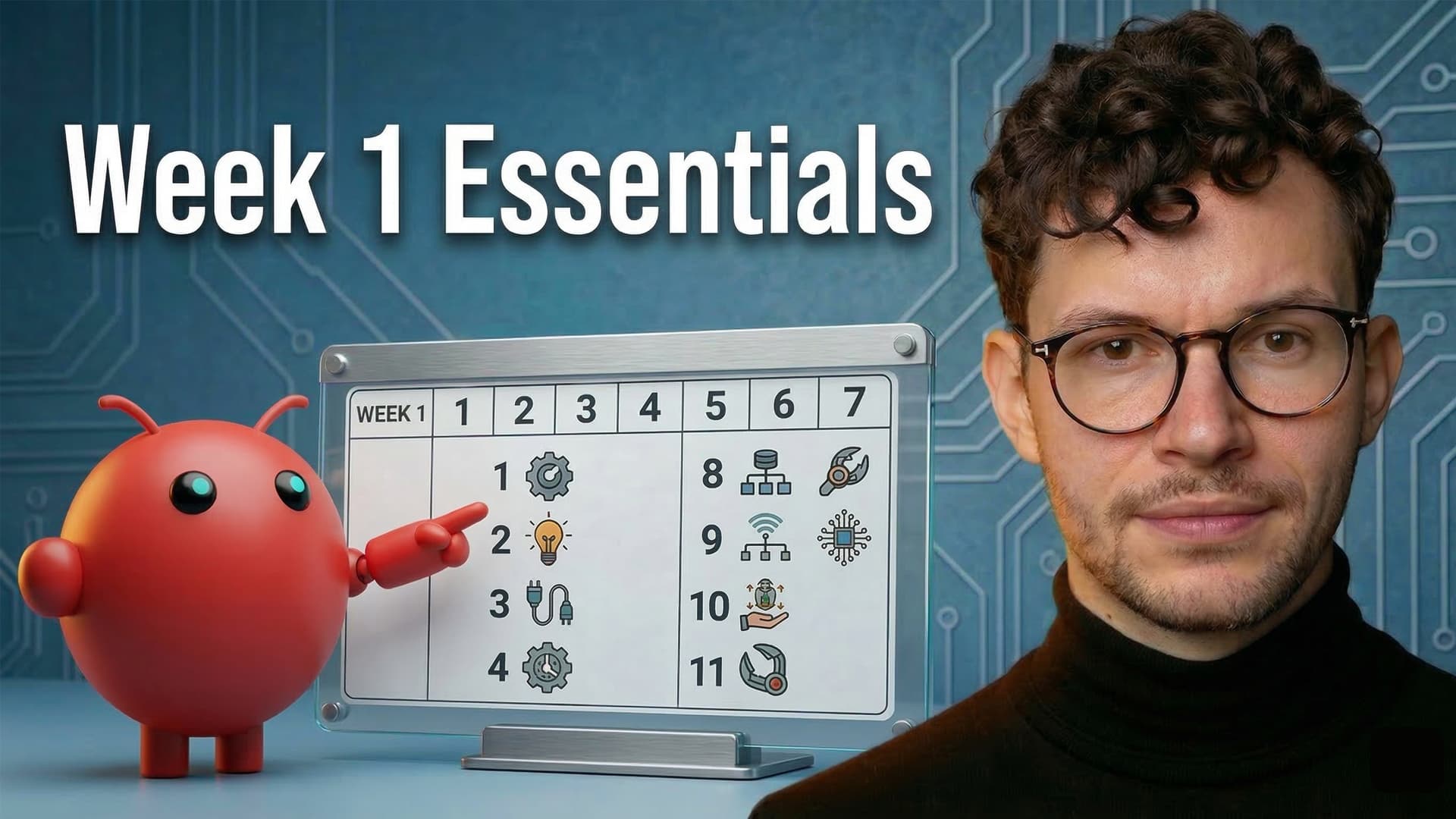
OpenClaw Notion Setup: 11 Things to Do First

OpenClaw + Notion: Hiring My First AI
Notion AI Consulting FAQ
Frequently Asked
Questions
What does "hiring AI" actually mean?
It means treating AI the way you'd treat a new team member. You define a role, set up how it collaborates with the rest of the team, give it context and clear inputs, and evaluate its output. The difference from "using AI tools" is fundamental: tools wait to be used. A hired agent operates as an independent participant in your workflow.
How is this different from AI training or AI tool adoption?
AI training teaches individuals to use AI tools more effectively — that's valuable, and it's something we do too. But training alone hits a ceiling. It makes ten people slightly faster. "Hiring AI" adds new capacity to your organisation that didn't exist before. It requires redesigning workflows, not just upskilling people.
Do we need a solid Notion workspace first?
It helps, but it's not a prerequisite. The same principles that make a workspace great — clear structure, documented processes, defined workflows — are exactly what AI needs to function. If your workspace needs work, fixing it and preparing for AI are often the same project.
What types of workflows are best suited for AI redesign?
Start where the logic is clearest and the stakes are manageable: intake and triage, research and data gathering, first-draft creation, routing and assignment, follow-up and tracking. We avoid starting with workflows that require novel judgement on every instance or where failure is expensive and visible.
How long before we see results?
You'll see a redesigned workflow within weeks, not months. We start small — one team, one workflow, one clear win — and expand from there. The timeline depends on how well-documented your current processes are.
What's the difference between AI skills, agents, and workflows?
A skill is a set of instructions that tells AI how to perform a specific task. An agent is an AI actor that can use multiple skills and take autonomous action within defined boundaries. A workflow is the larger system in which agents and humans operate together. We work at all three levels, but the biggest impact comes from redesigning the workflow.
What's the difference between Notion AI and Claude or ChatGPT?
Claude and ChatGPT are general-purpose AI models. Notion AI is an application layer that uses these models (currently Claude) but adds something critical: access to your workspace data, your team's context, and your defined processes. The model provides the intelligence; Notion provides the environment where that intelligence operates on real work.
What does the engagement look like?
We start with a focused discovery: mapping your workflows, identifying high-potential stages, and designing the first AI integration. Engagements are typically more targeted than a full workspace transformation — one team, one function, one clear use case. We build, test, iterate, and hand off. The goal is always the same: your team owns the system, not us.
Do you work with teams outside of Berlin?
Yes. We're headquartered in Berlin but work with teams across Europe, the US, and beyond. Everything is remote-first, and our timezone offers excellent overlap for both European and US-based teams.
